Why weather works in email
Most campaigns are built once, then age fast. Weather gives each open a local, timely context you can tie to recommendations, reminders, and editorial angles without rebuilding templates.
Dynamic / Weather
Render location-aware weather at open time, so subscribers see conditions that match their moment, not your send time. Ideal for local newsletters, regional campaigns, and context-driven content.
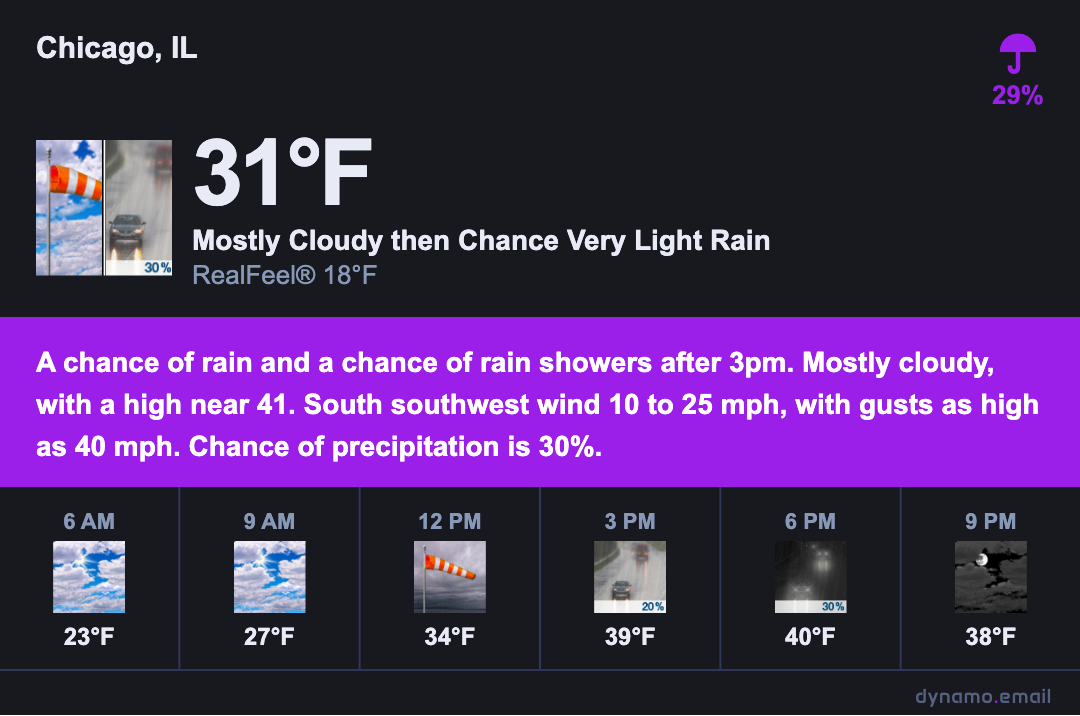
Most campaigns are built once, then age fast. Weather gives each open a local, timely context you can tie to recommendations, reminders, and editorial angles without rebuilding templates.
Customization
Accent color and background are URL parameters — swap them per campaign without touching your template.
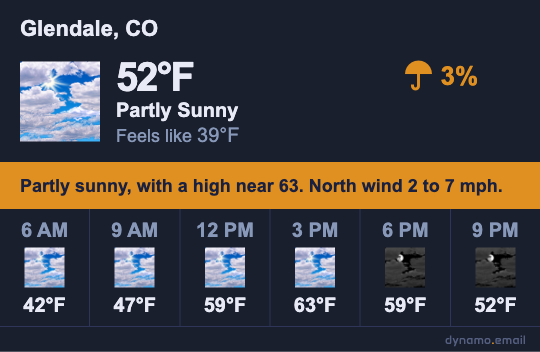
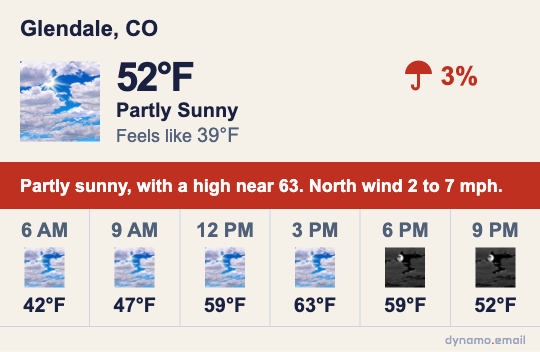
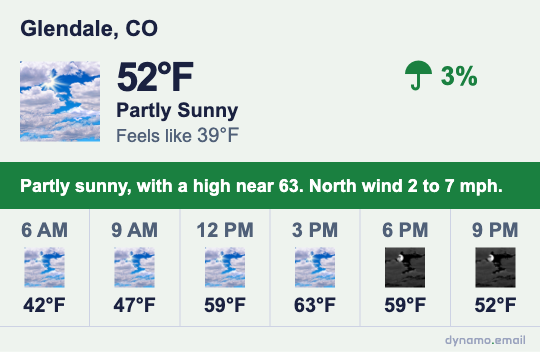
Dark-mode ready
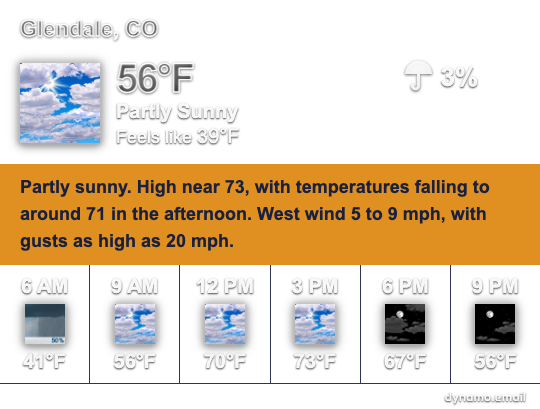
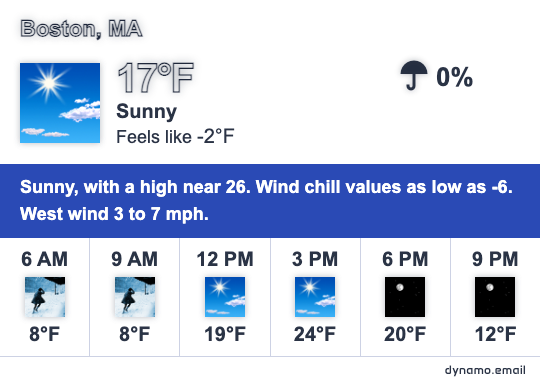
Set transparent=true and the block drops its background entirely, blending into whatever color your subscriber's inbox or email template uses — including auto-switched dark mode in Apple Mail, Gmail app, and Outlook Mobile. No white box, no hard edges.
Block anatomy
Eight data elements assembled live from NOAA National Weather Service forecast data at the moment of email open.
Create one hosted image URL and place it in your template. At open time, Dynamo resolves weather data and serves the final PNG for that recipient and location context.
FAQ
Implementation details for editors, designers, and email developers shipping weather-aware campaigns.
Lead with weather context, then connect it to useful local content: what to do today, what to bring, where to go, or what to avoid. Keep the block compact and make the follow-up CTA specific to the current conditions.
Use the image block your ESP already provides, paste the hosted weather image URL, and set descriptive alt text. This works in drag-and-drop builders (Mailchimp, Klaviyo, Brevo), hybrid editors, and HTML upload workflows.
Insert the weather asset as a standard image tag, with explicit width, max-width, and alt text. Use table-safe layout patterns and avoid relying on CSS background images for critical weather information.
Design for 320px-first readability: strong contrast, concise copy, and a single visual hierarchy. Keep text legible inside the PNG, use predictable spacing, and ensure any related CTA remains thumb-friendly below the weather block.
For daily newsletters, open-time rendering is usually enough. For event-heavy or rapidly changing conditions, pair weather with time-aware messaging and conservative fallback copy so the email still makes sense if data is delayed.
Treat the image as meaningful content: include alt text with city and summary condition, avoid embedding critical tiny text, and keep nearby copy that conveys the core message even if images are blocked.